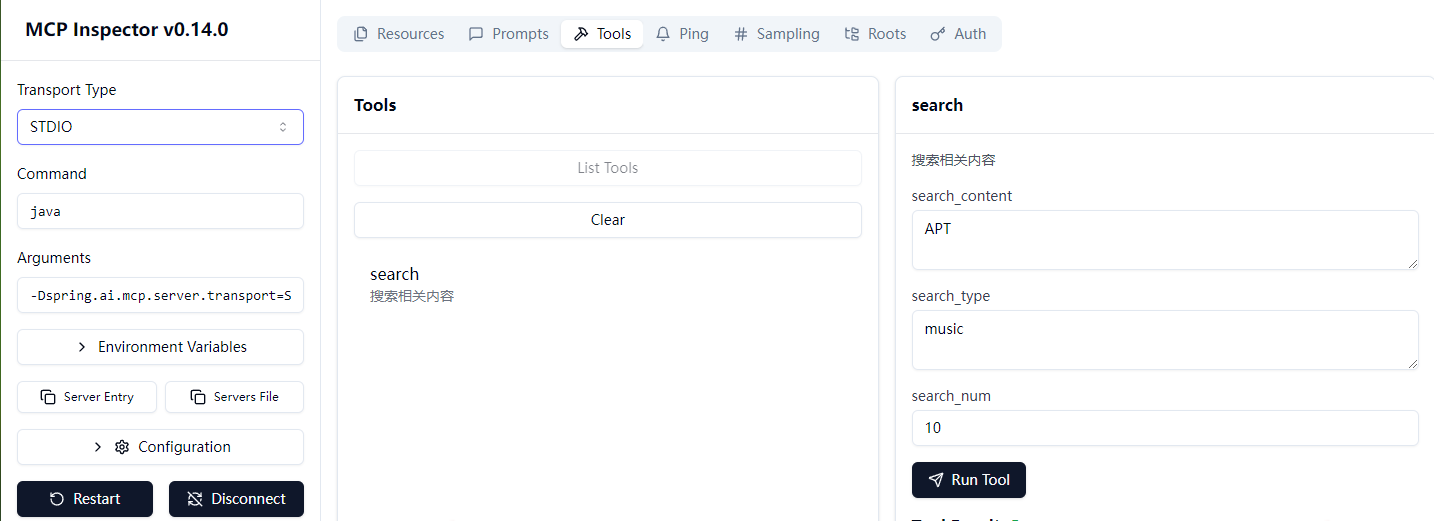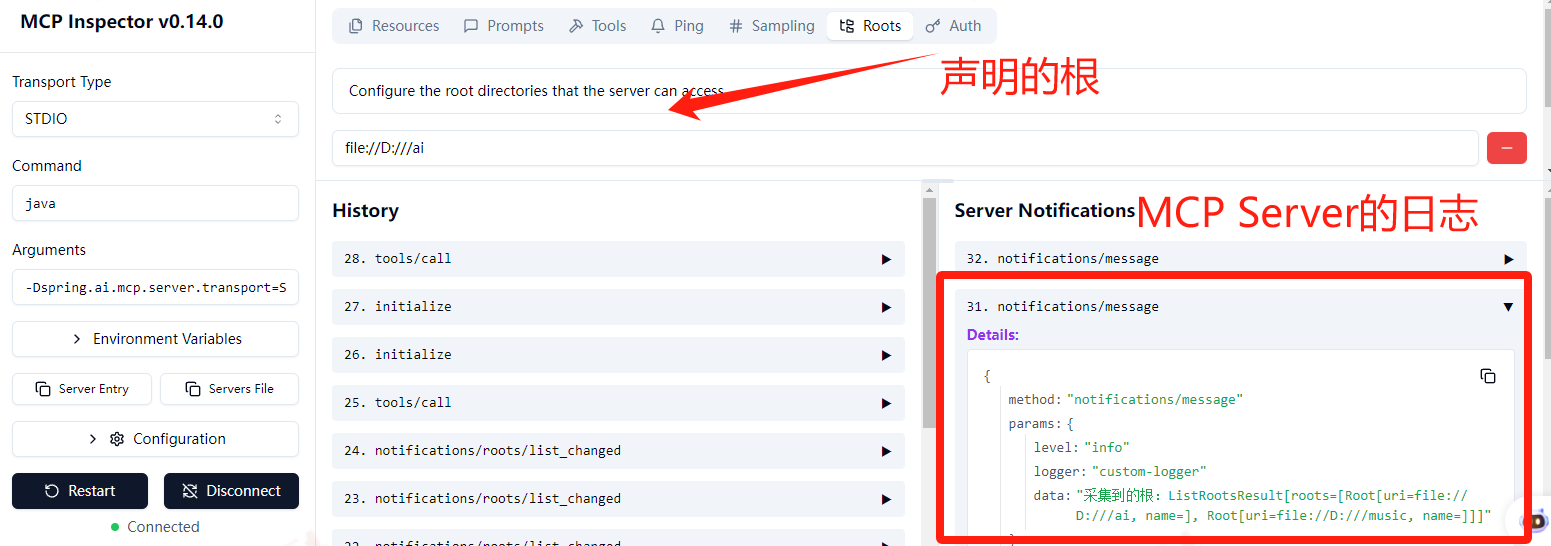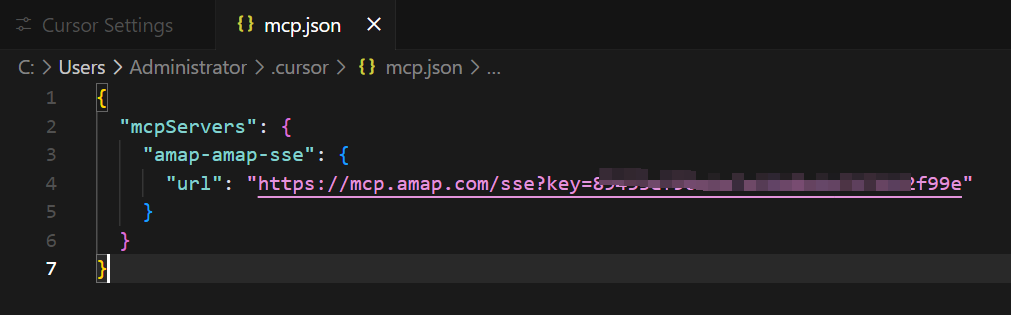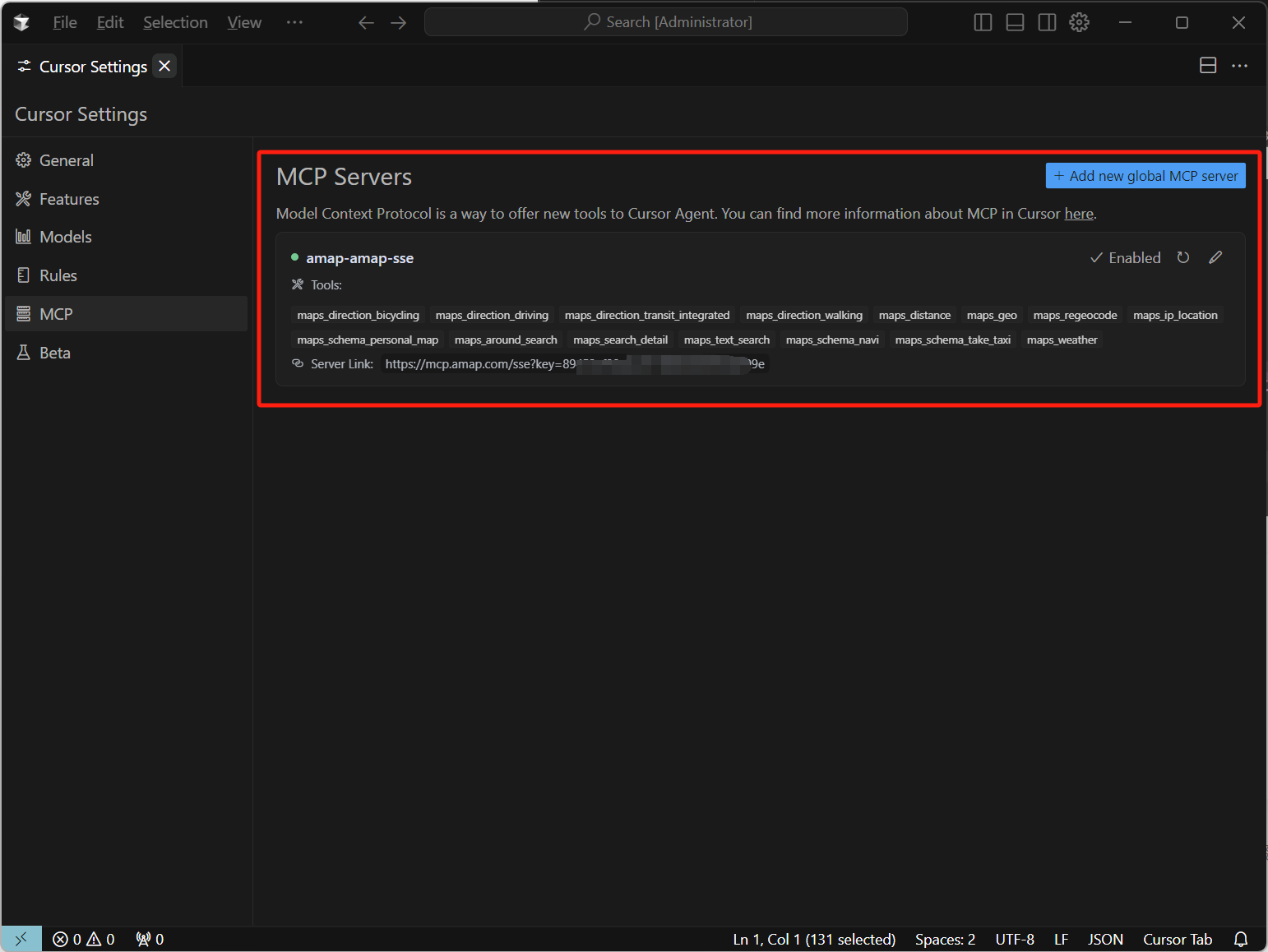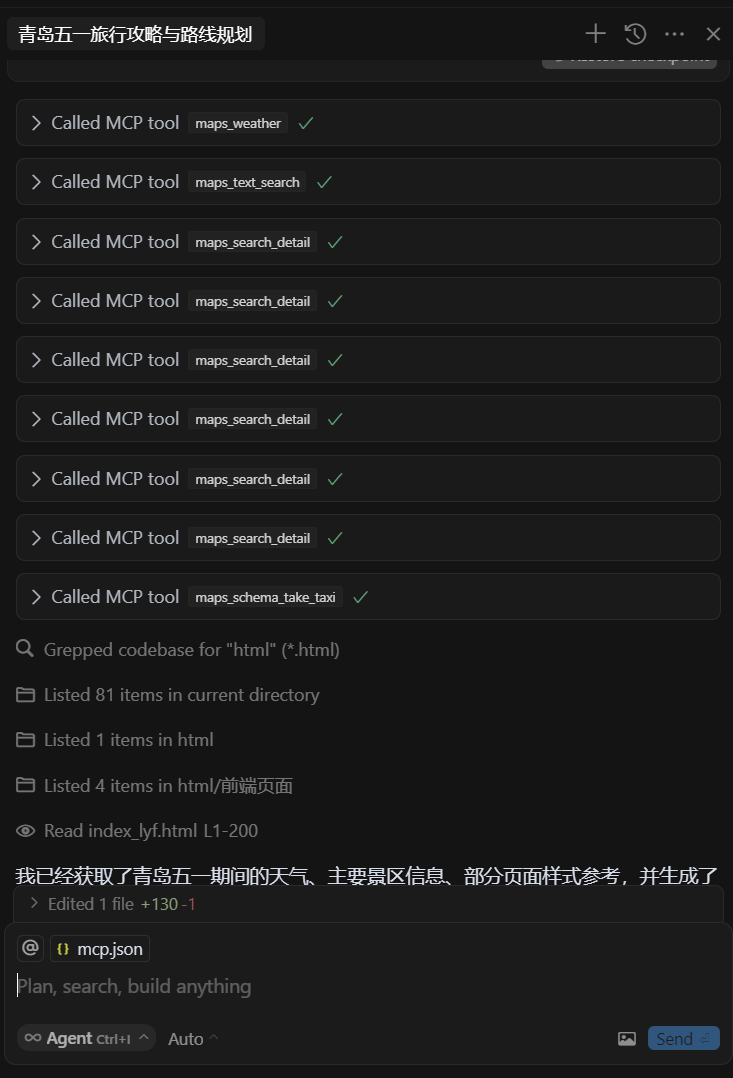

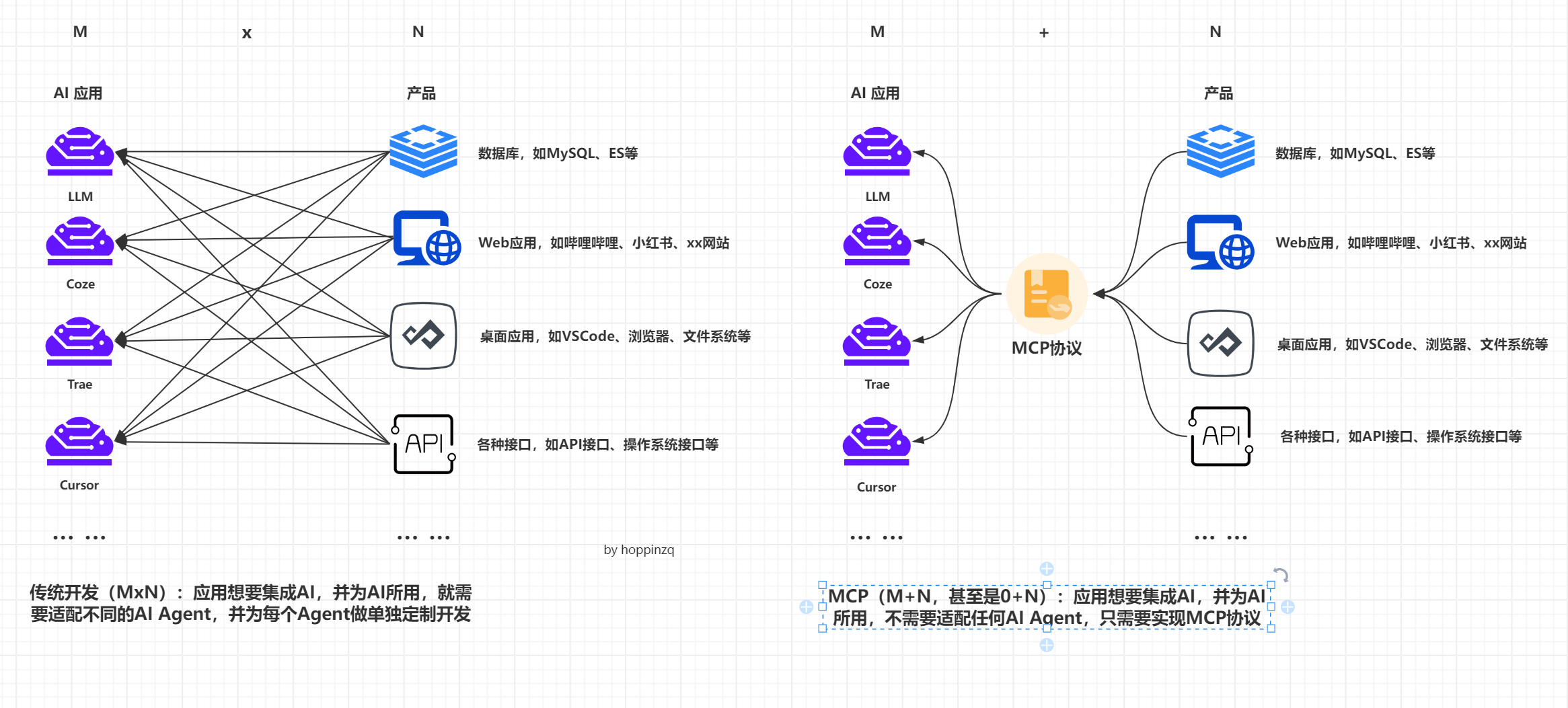
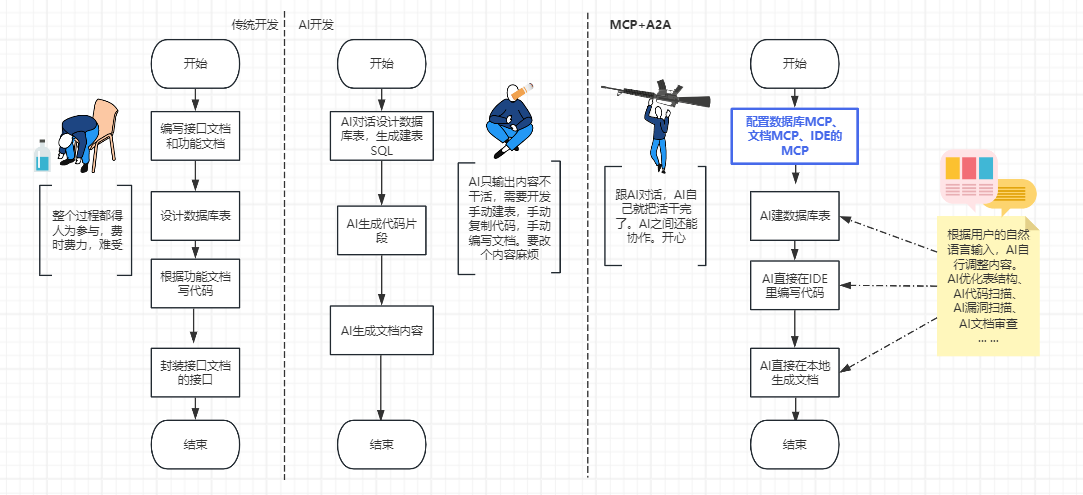
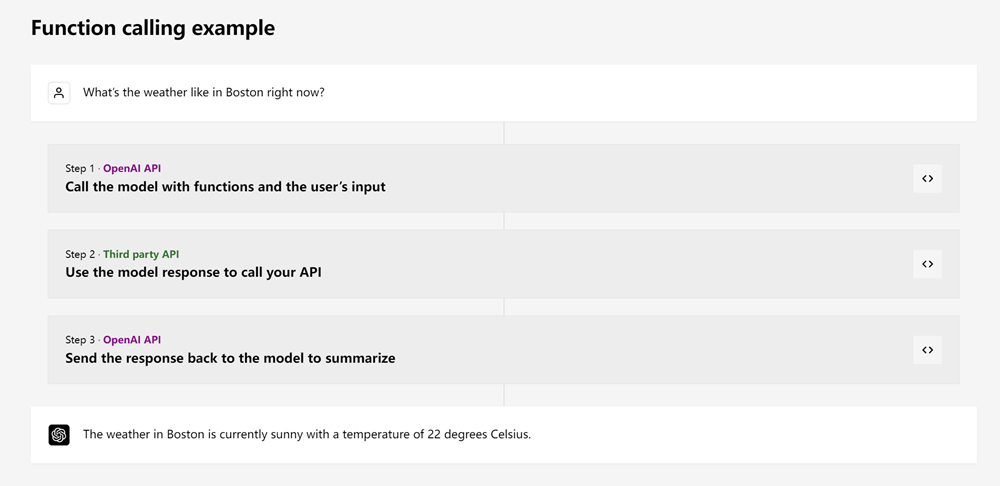
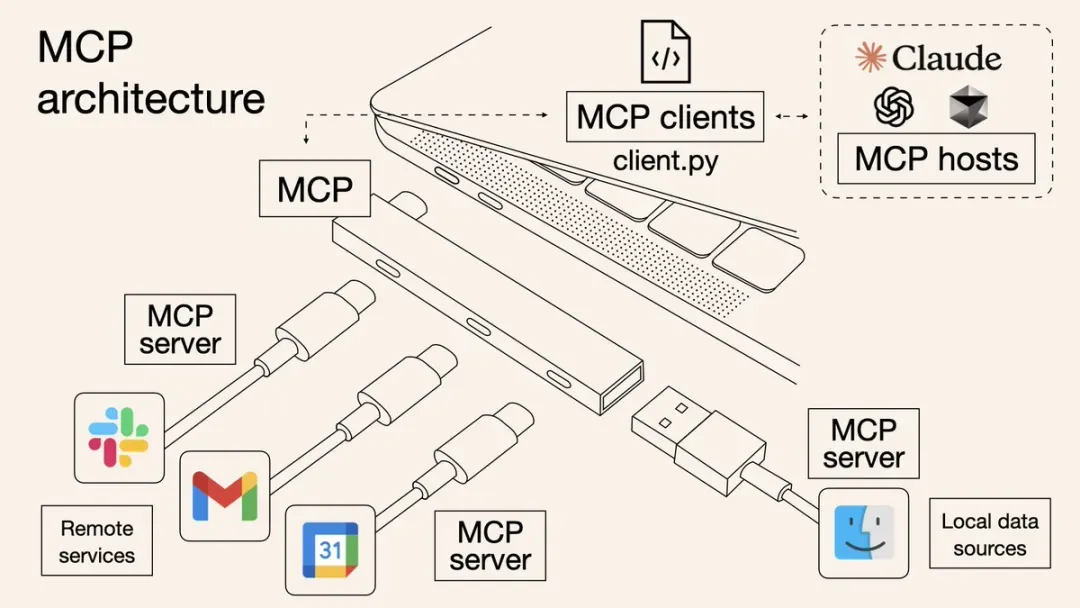

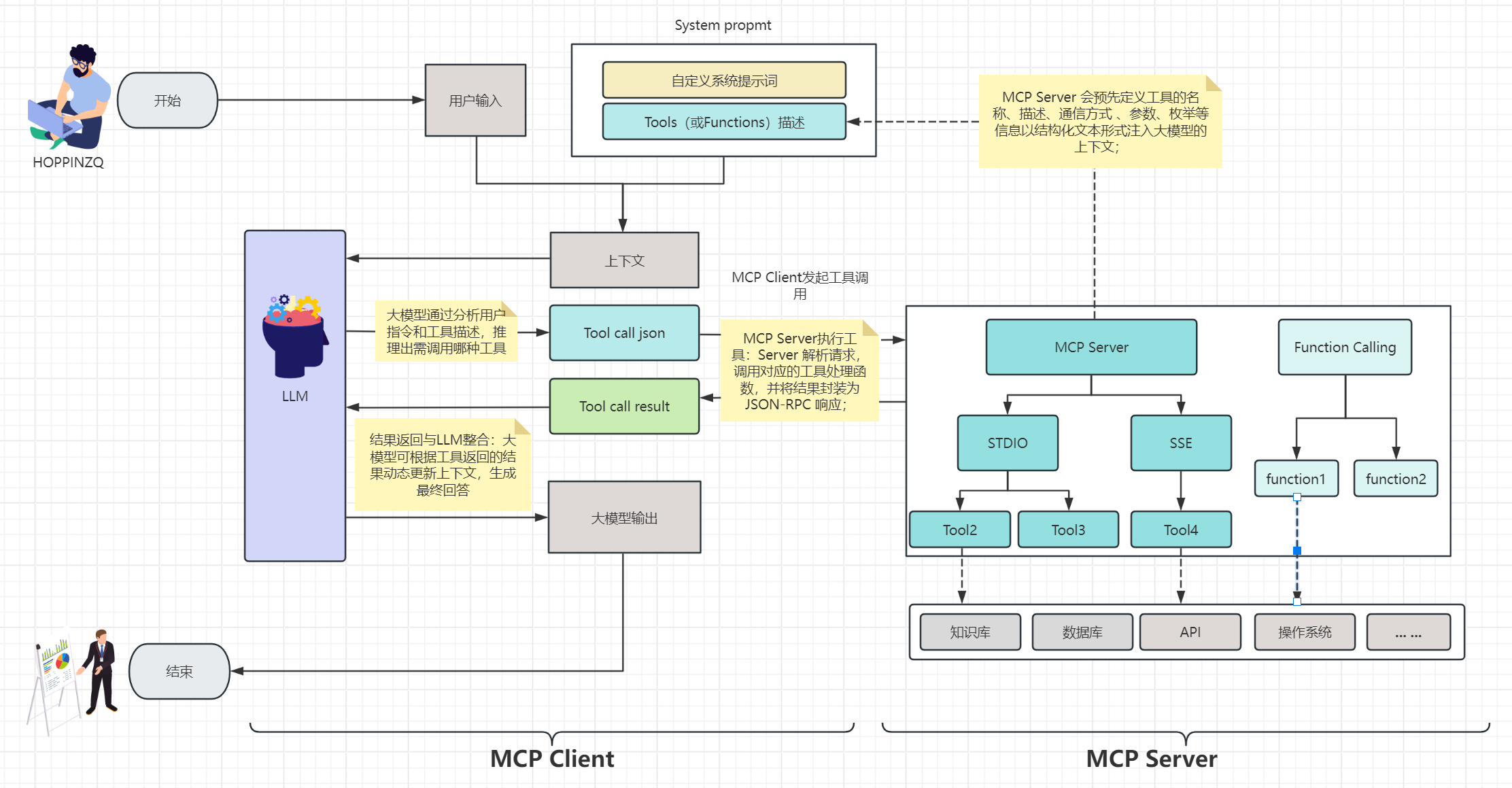
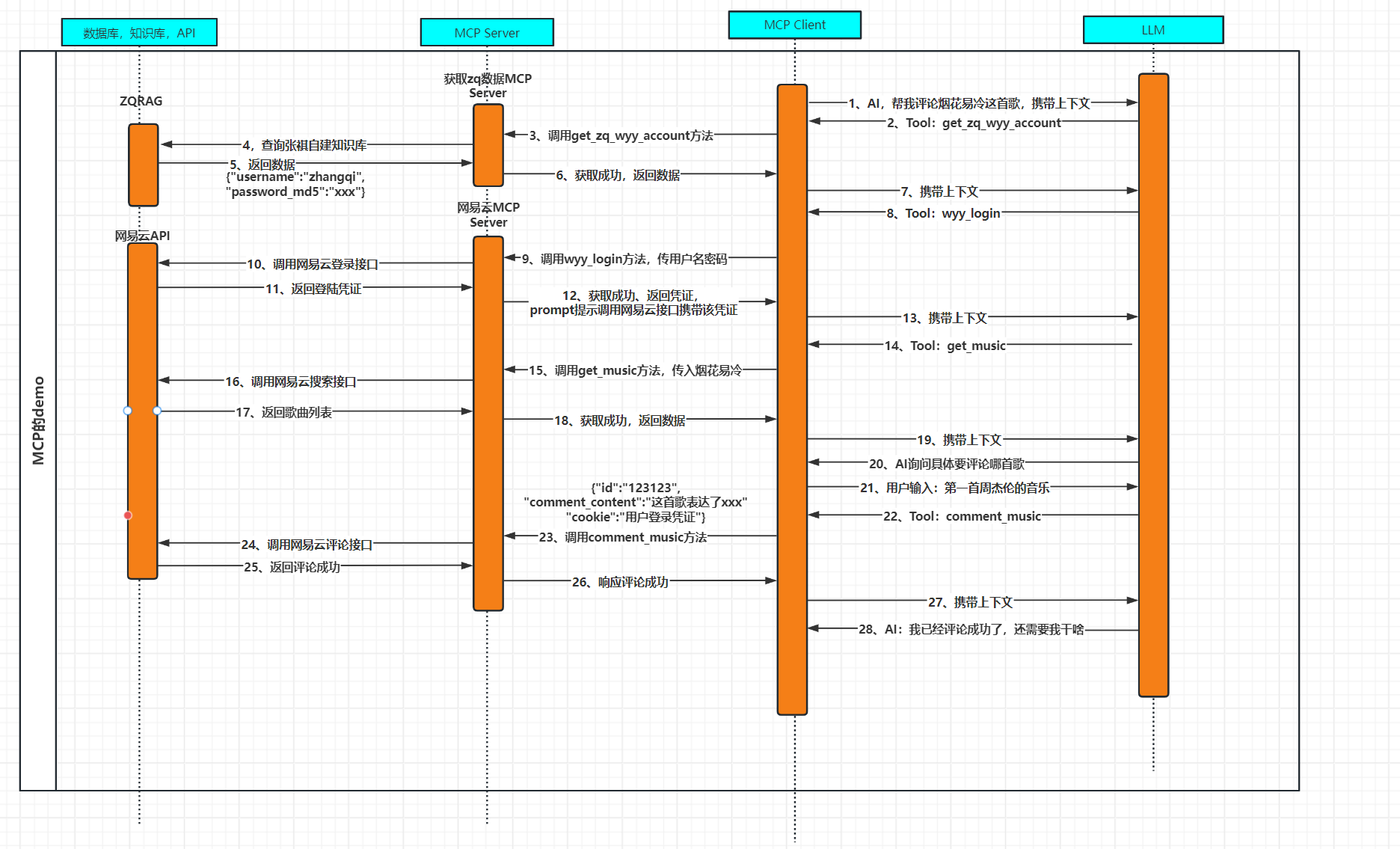

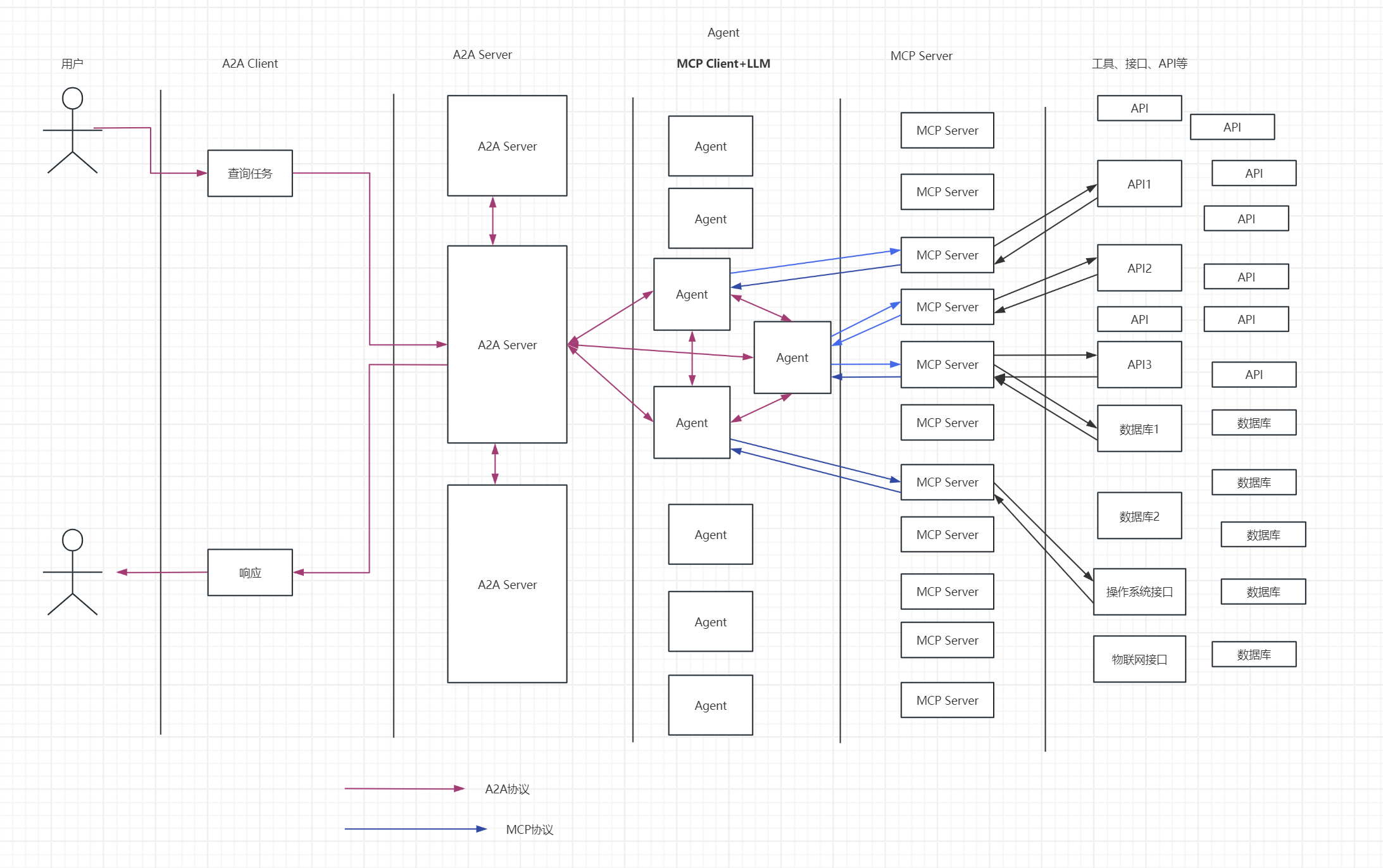
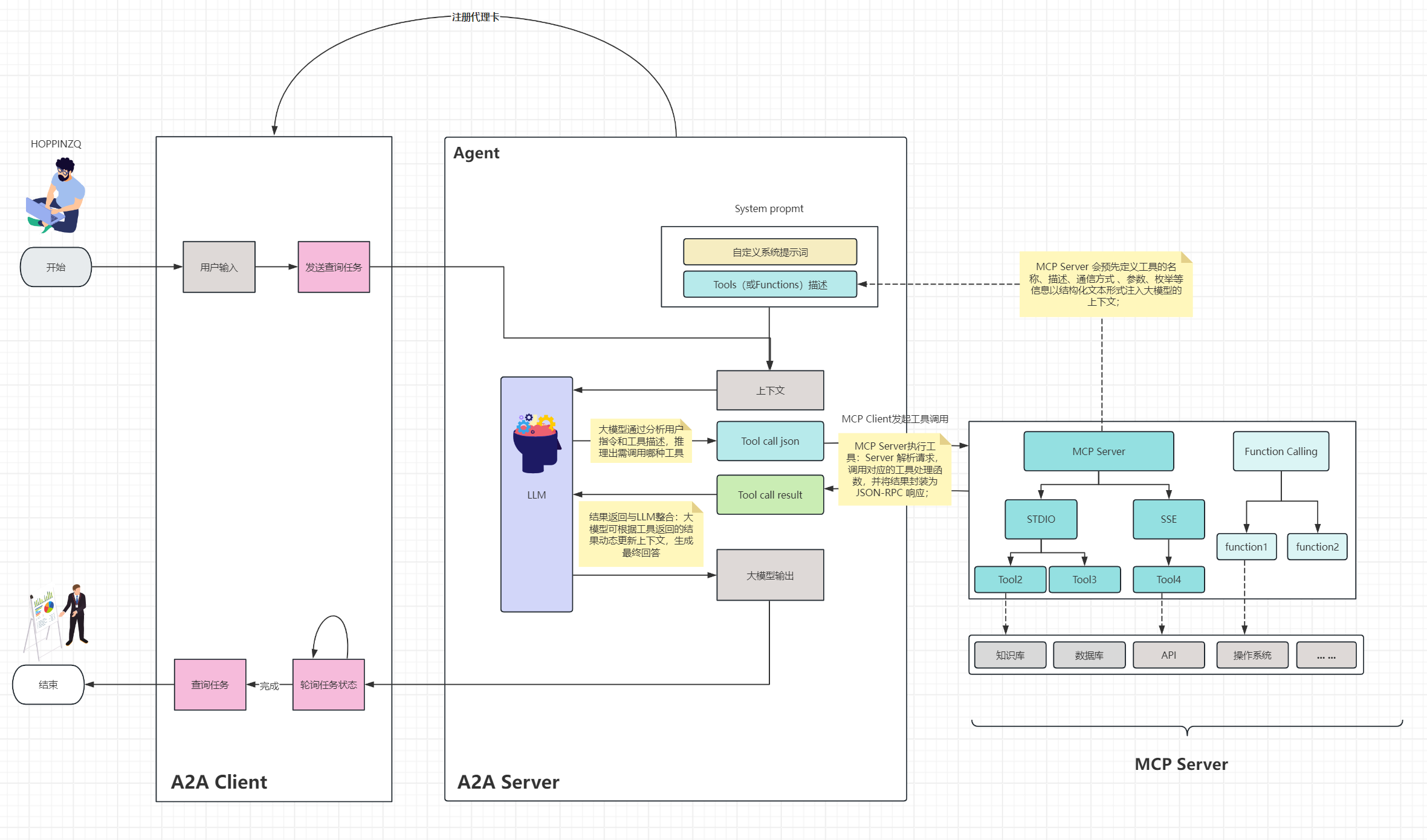
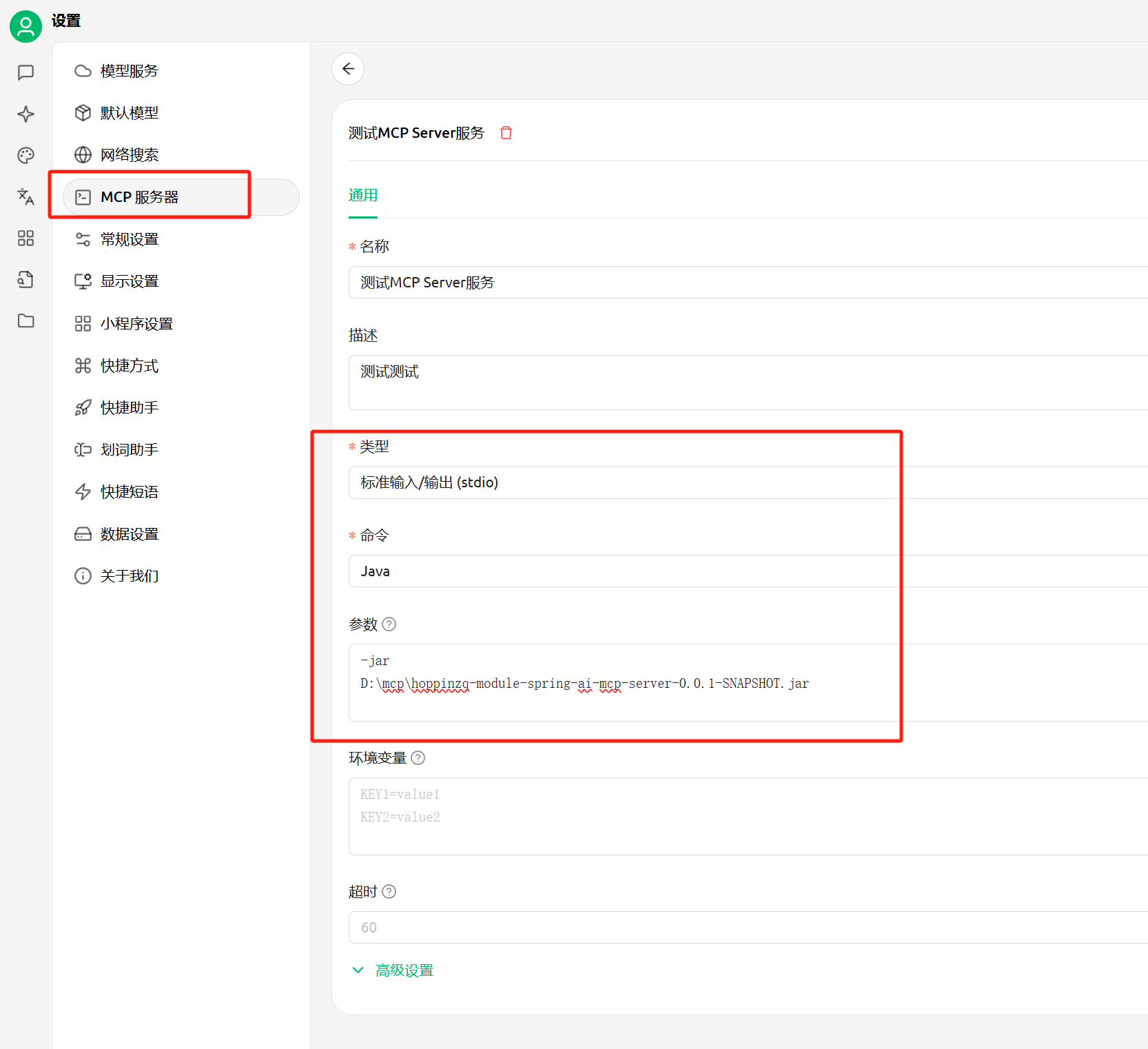
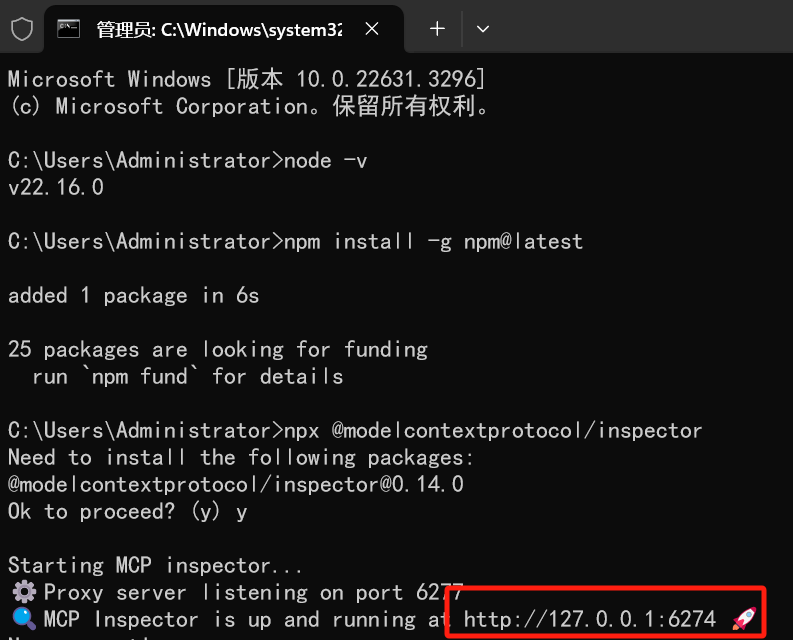
Tools:服务器暴露可执行功能,供LLM调用以与外部系统交互。
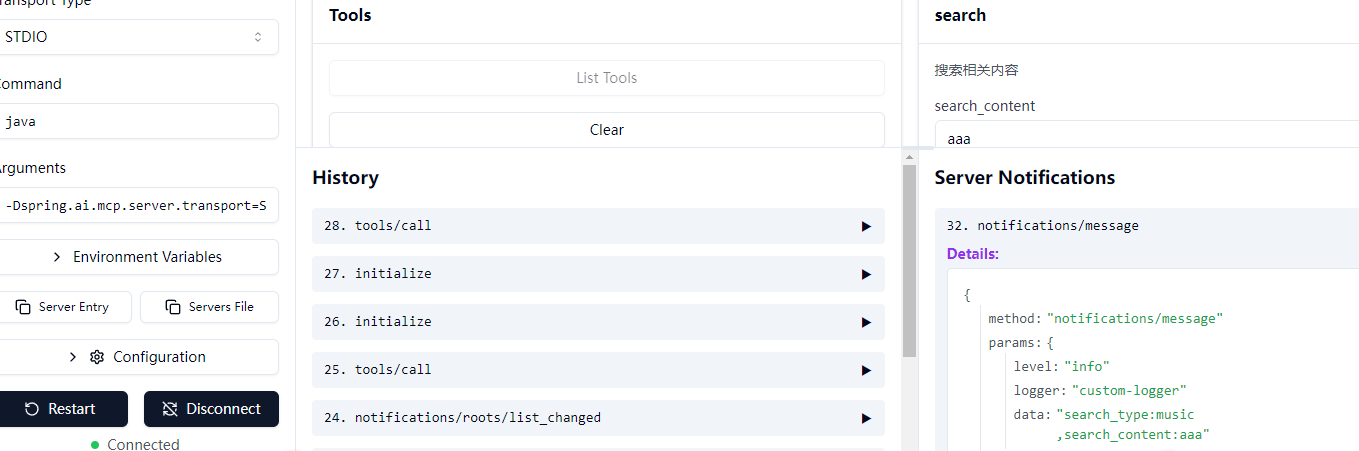
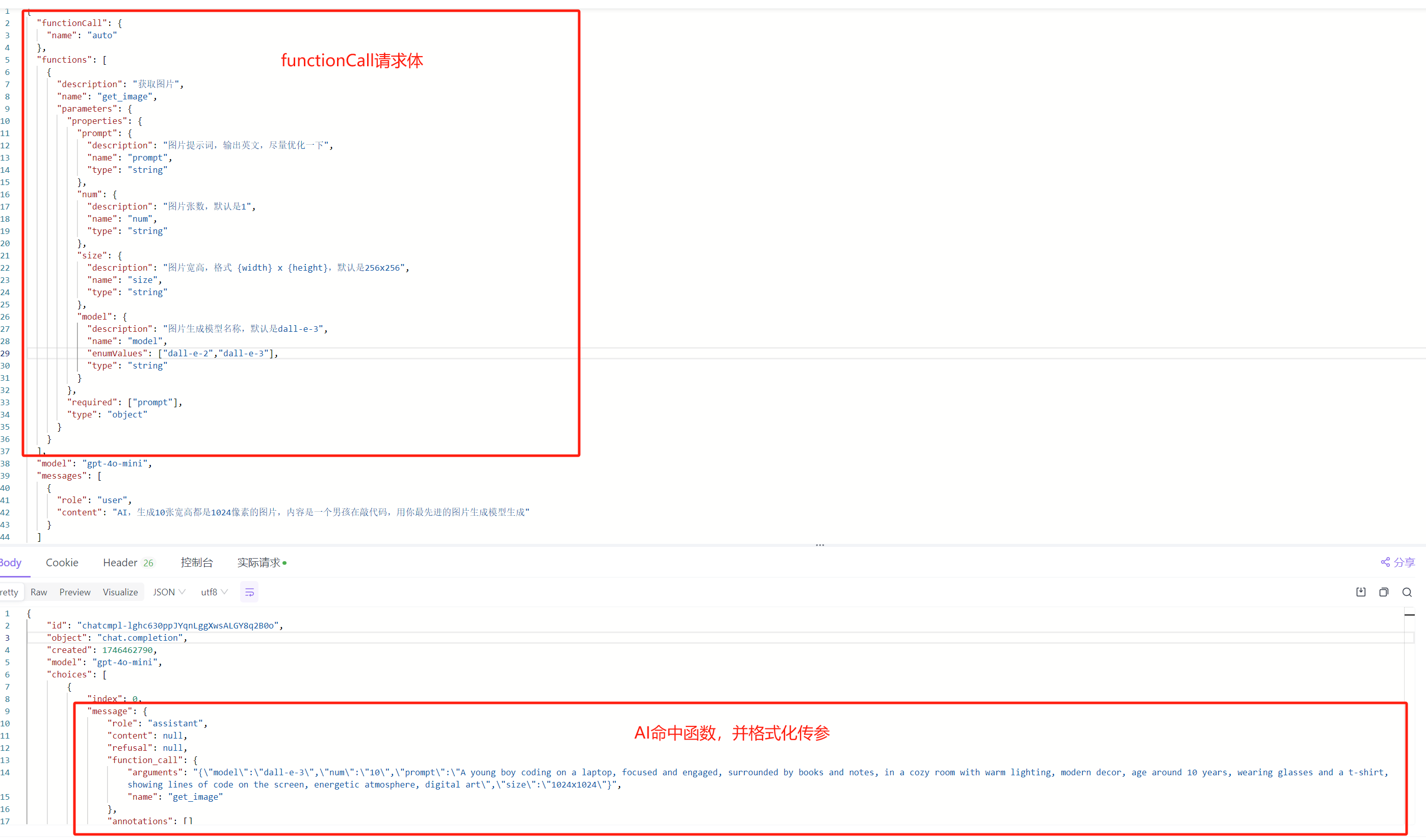
目前最常用,并且被支持最广泛的就是Tools工具调用。这里最重要的,是ToolSchema的声明, ToolSchema应该尽量描述工具及调用的参数,并且符合规范,示例如下:
/**
* 添加搜索工具到服务器
* @param syncServer MCP同步服务器实例
* @throws JsonProcessingException JSON处理异常
*/
private static void addSearchTool(McpSyncServer syncServer) throws JsonProcessingException {
// 创建工具的JSON Schema定义
String schema = createSchema();
// 创建工具规范,包含工具定义和处理逻辑
McpServerFeatures.SyncToolSpecification syncToolSpecification = new McpServerFeatures.SyncToolSpecification(
new Tool("search", "搜索相关内容", schema),
(exchange, arguments) -> {
List<Content> result = new ArrayList<>();
try {
String searchType = (String) arguments.get("searchType");
String searchContent = (String) arguments.get("searchContent");
// 发送日志通知
syncServer.loggingNotification(LoggingMessageNotification.builder()
.level(LoggingLevel.INFO)
.logger("custom-logger")
.data("searchType:"+searchType+",searchContent:"+searchContent)
.build());
String searchResult = null;
switch (searchType) {
case "music":
String musicRes=searchMusic(searchContent);
ObjectMapper objectMapper = new ObjectMapper();
ArrayNode arrayNode = objectMapper.createArrayNode();
JsonNode musicResJson = objectMapper.readTree(musicRes);
JsonNode musicResult = musicResJson.get("result");
JsonNode songs = musicResult.get("songs");
if(songs!=null){
songs.forEach(song -> {
ObjectNode objectNode = objectMapper.createObjectNode();
String title = song.get("name").asText();
JsonNode artists = song.get("artists");
if(artists.isArray() && artists.size() > 0){
String singer="";
for(int i=0;i<artists.size();i++){
singer+=artists.get(i).get("name").asText();
if(i<artists.size()-1){
singer+=",";
}
}
objectNode.put("artist", singer);
}else{
String artist=artists.get(0).get("name").asText();
objectNode.put("artist", artist);
}
JsonNode albumNode = song.get("album");
if(albumNode != null){
String album = albumNode.get("name").asText();
objectNode.put("album", album);
}
Integer id = song.get("id").asInt();
objectNode.put("id", id);
objectNode.put("url", "http://music.163.com/song/media/outer/url?id="+id+".mp3");
objectNode.put("name", title);
arrayNode.add(objectNode);
});
}
searchResult=arrayNode.toString();
break;
case "website":
// 搜索网页
searchResult = "现在不支持搜索网页,目前只支持搜索音乐";
break;
case "other":
searchResult = "目前只支持搜索音乐";
break;
default:
result.add(new TextContent("不支持的搜索类型: " + searchType));
return new CallToolResult(result, true);
}
result.add(new TextContent(searchResult));
} catch (Exception e) {
result.add(new TextContent("搜索错误: " + e.getMessage()));
return new CallToolResult(result, true);
}
return new CallToolResult(result, false);
});
syncServer.addTool(syncToolSpecification);
}
private static String searchMusic(String searchContent) throws Exception {
URL url = new URL("http://hoppin.cn:3000/search?keywords="+ URLEncoder.encode(searchContent, StandardCharsets.UTF_8));
HttpURLConnection connection = (HttpURLConnection) url.openConnection();
connection.setRequestMethod("GET");
connection.setConnectTimeout(5000);
connection.setReadTimeout(5000);
BufferedReader in = new BufferedReader(new InputStreamReader(connection.getInputStream()));
String inputLine;
StringBuffer content = new StringBuffer();
while ((inputLine = in.readLine()) != null) {
content.append(inputLine);
}
in.close();
return content.toString();
}
/**
* 创建工具的JSON Schema
* @return JSON Schema字符串
* @throws JsonProcessingException JSON处理异常
*/
private static String createSchema() throws JsonProcessingException {
ObjectMapper mapper = new ObjectMapper();
ObjectNode propertiesNode = mapper.createObjectNode();
ObjectNode rootNode = mapper.createObjectNode();
rootNode.put("type", "object");
rootNode.put("id", "urn:jsonschema:search");
// 定义operation属性:指定可用的计算操作
ObjectNode searchNode = mapper.createObjectNode();
searchNode.put("type", "string");
searchNode.put("description", "搜索内容");
ObjectNode searchTypeNode = mapper.createObjectNode();
searchTypeNode.put("type", "string");
searchTypeNode.put("description", "搜索类型,可以是音乐,网站和其他");
ArrayNode typeNode = mapper.createArrayNode();
typeNode.add("music").add("website").add("other");
searchTypeNode.set("enum", typeNode);
// 添加所有属性到properties节点
propertiesNode.set("searchContent", searchNode);
propertiesNode.set("searchType", searchTypeNode);
// 添加properties到根节点
rootNode.set("properties", propertiesNode);
// 将JSON对象转换为字符串
return mapper.writerWithDefaultPrettyPrinter().writeValueAsString(rootNode);
}
/**
* 添加搜索工具到服务器
* @param asyncServer MCP异步服务器实例
* @throws JsonProcessingException JSON处理异常
*/
private static void addSearchTool(McpAsyncServer asyncServer) throws JsonProcessingException {
// 创建工具的JSON Schema定义
String schema = createSchema();
// 创建工具规范,包含工具定义和处理逻辑
McpServerFeatures.AsyncToolSpecification asyncToolSpecification = new McpServerFeatures.AsyncToolSpecification(
new Tool("search", "搜索相关内容", schema),
(exchange, arguments) -> {
List<Content> result = new ArrayList<>();
try {
String searchType = (String) arguments.get("searchType");
String searchContent = (String) arguments.get("searchContent");
asyncServer.loggingNotification(LoggingMessageNotification.builder()
.level(LoggingLevel.INFO)
.logger("custom-logger")
.data("searchType:"+searchType+",searchContent:"+searchContent)
.build());
String searchResult = null;
switch (searchType) {
case "music":
String musicRes=searchMusic(searchContent);
ObjectMapper objectMapper = new ObjectMapper();
ArrayNode arrayNode = objectMapper.createArrayNode();
JsonNode musicResJson = objectMapper.readTree(musicRes);
JsonNode musicResult = musicResJson.get("result");
JsonNode songs = musicResult.get("songs");
if(songs!=null){
songs.forEach(song -> {
ObjectNode objectNode = objectMapper.createObjectNode();
String title = song.get("name").asText();
JsonNode artists = song.get("artists");
if(artists.isArray() && artists.size() > 0){
String singer="";
for(int i=0;i<artists.size();i++){
singer+=artists.get(i).get("name").asText();
if(i<artists.size()-1){
singer+=",";
}
}
objectNode.put("artist", singer);
}else{
String artist=artists.get(0).get("name").asText();
objectNode.put("artist", artist);
}
JsonNode albumNode = song.get("album");
if(albumNode != null){
String album = albumNode.get("name").asText();
objectNode.put("album", album);
}
Integer id = song.get("id").asInt();
objectNode.put("id", id);
objectNode.put("url", "http://music.163.com/song/media/outer/url?id="+id+".mp3");
objectNode.put("name", title);
arrayNode.add(objectNode);
});
}
searchResult=arrayNode.toString();
break;
case "website":
// 搜索网页
searchResult = "现在不支持搜索网页,目前只支持搜索音乐";
break;
case "other":
searchResult = "目前只支持搜索音乐";
break;
default:
result.add(new TextContent("不支持的搜索类型: " + searchType));
return Mono.just(new CallToolResult(result, true));
}
result.add(new TextContent("搜索结果: " + searchResult));
} catch (Exception e) {
result.add(new TextContent("搜索错误: " + e.getMessage()));
return Mono.just(new CallToolResult(result, true));
}
return Mono.just(new CallToolResult(result, false));
});
asyncServer.addTool(asyncToolSpecification)
.doOnSuccess(v -> logger.info("Tool registered"))
.subscribe();
}
private static String searchMusic(String searchContent) throws Exception {
URL url = new URL("http://hoppin.cn:3000/search?keywords="+ URLEncoder.encode(searchContent, StandardCharsets.UTF_8));
HttpURLConnection connection = (HttpURLConnection) url.openConnection();
connection.setRequestMethod("GET");
connection.setConnectTimeout(5000);
connection.setReadTimeout(5000);
int status = connection.getResponseCode();
BufferedReader in = new BufferedReader(new InputStreamReader(connection.getInputStream()));
String inputLine;
StringBuffer content = new StringBuffer();
while ((inputLine = in.readLine()) != null) {
content.append(inputLine);
}
in.close();
if(status==200){
return content.toString();
}else{
return content.toString();
}
}
/**
* 创建搜索工具的JSON Schema
* @return JSON Schema字符串
* @throws JsonProcessingException JSON处理异常
*/
private static String createSchema() throws JsonProcessingException {
ObjectMapper mapper = new ObjectMapper();
// 创建Schema根节点
ObjectNode rootNode = mapper.createObjectNode();
rootNode.put("type", "object");
rootNode.put("id", "urn:jsonschema:wyy_music_search");
// 创建属性节点
ObjectNode propertiesNode = mapper.createObjectNode();
// 定义operation属性:指定可用的计算操作
ObjectNode searchNode = mapper.createObjectNode();
searchNode.put("type", "string");
searchNode.put("description", "搜索内容");
ObjectNode searchTypeNode = mapper.createObjectNode();
searchTypeNode.put("type", "string");
searchTypeNode.put("description", "搜索类型,可以是音乐,网站和其他");
ArrayNode enumNode = mapper.createArrayNode();
enumNode.add("music").add("website").add("other");
searchTypeNode.set("enum", enumNode);
// 添加所有属性到properties节点
propertiesNode.set("searchContent", searchNode);
propertiesNode.set("searchType", searchTypeNode);
// 添加properties到根节点
rootNode.set("properties", propertiesNode);
// 将JSON对象转换为字符串
return mapper.writerWithDefaultPrettyPrinter().writeValueAsString(rootNode);
}
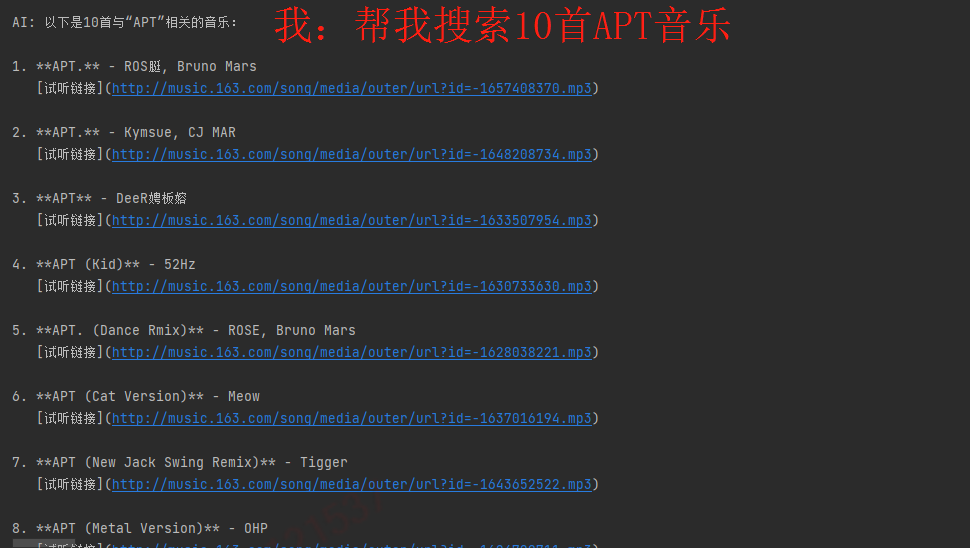
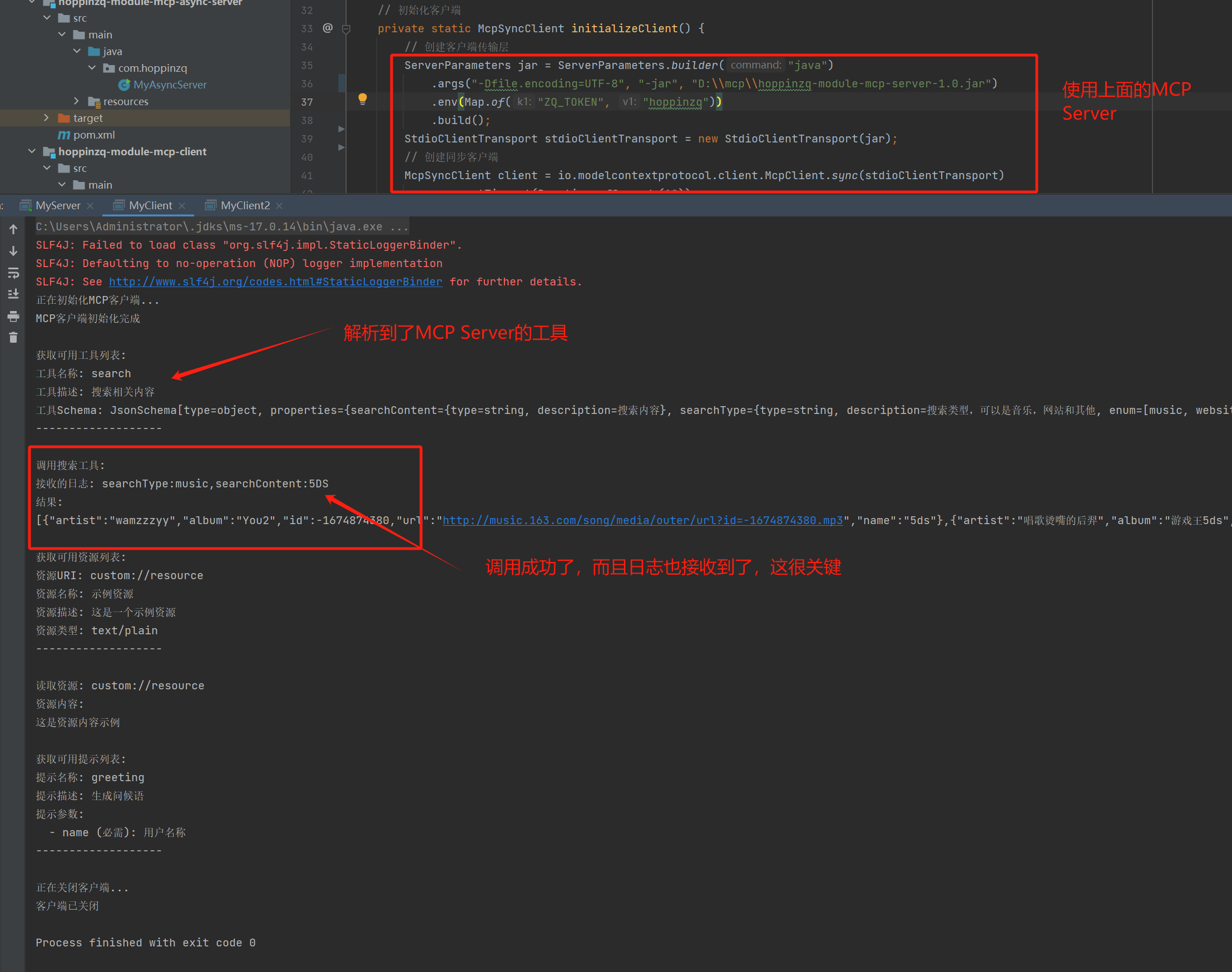
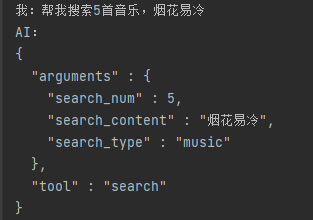
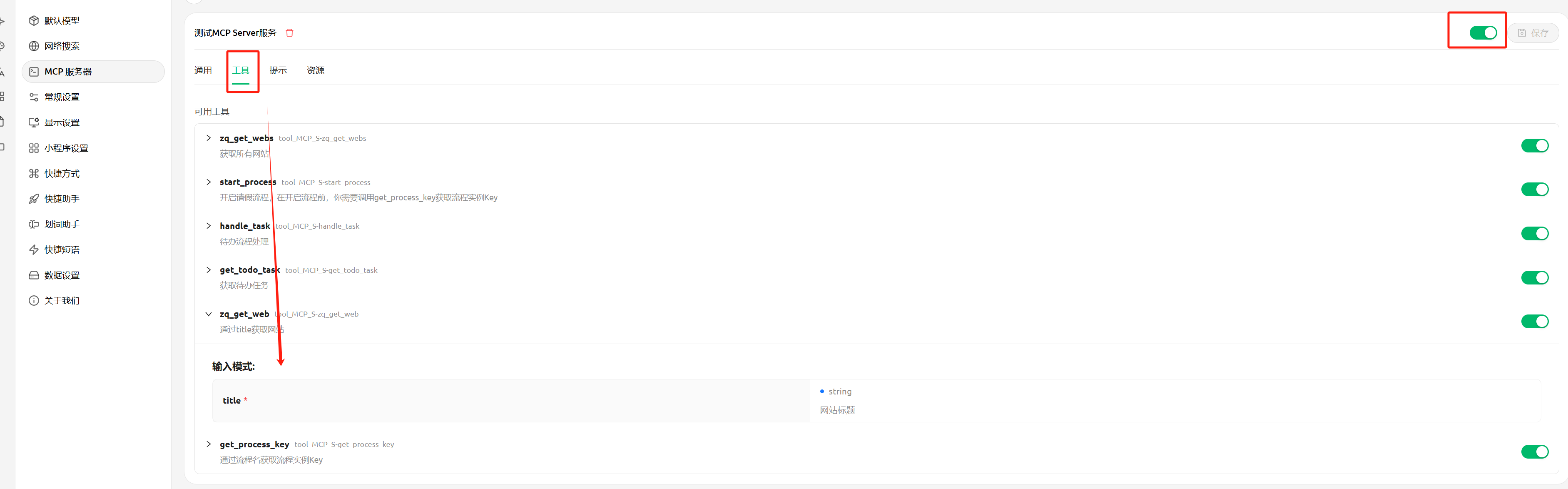
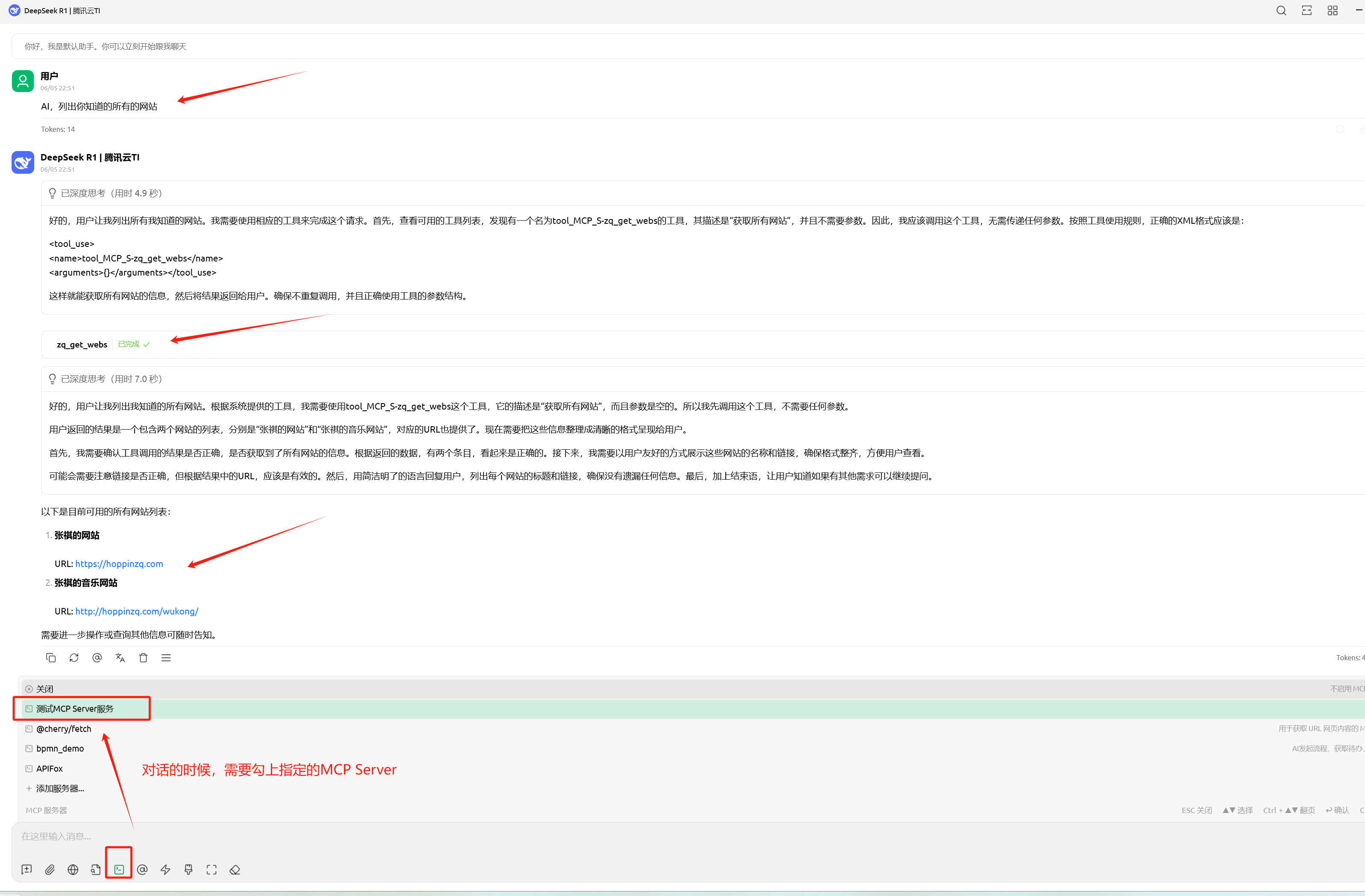
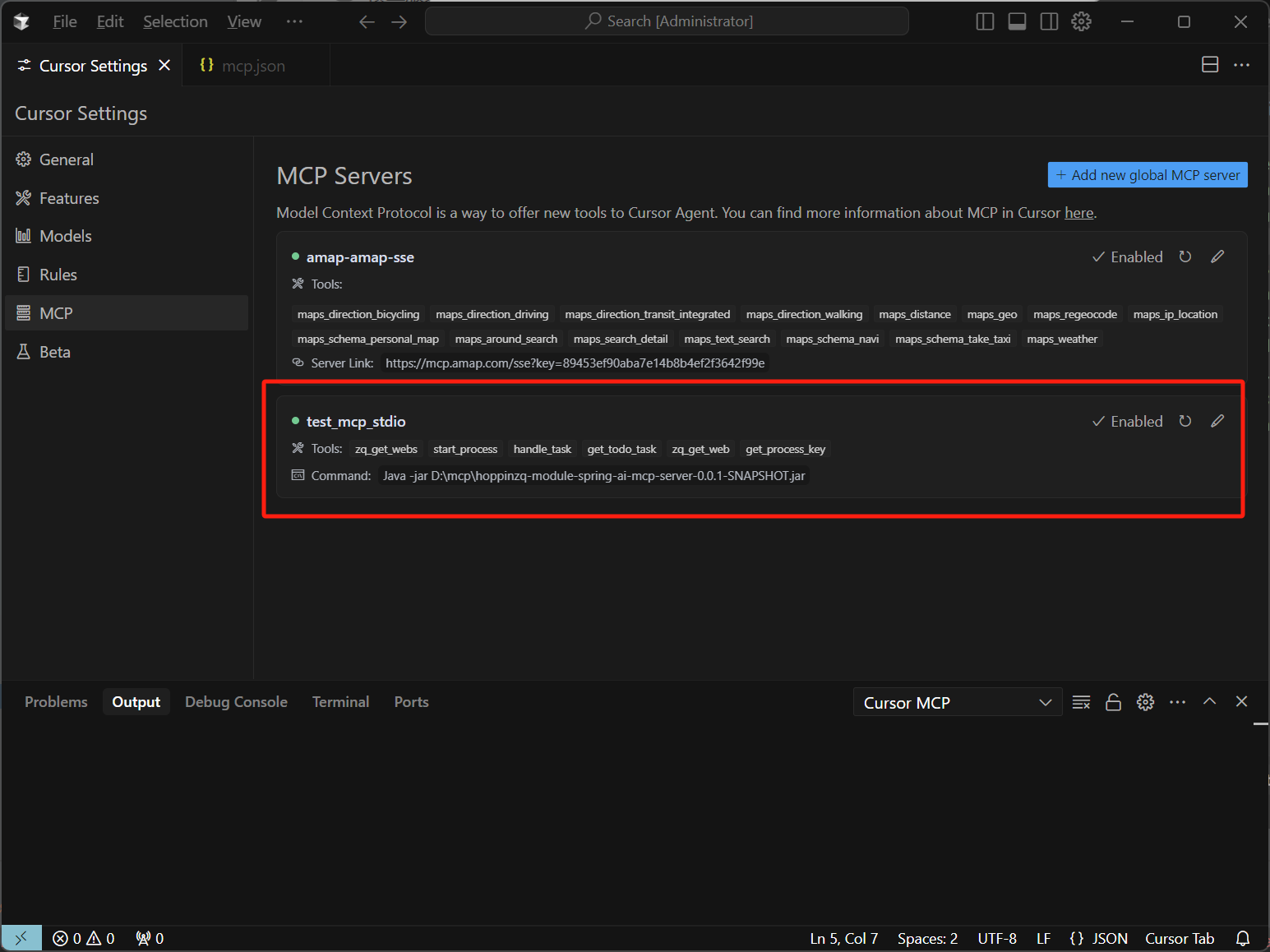
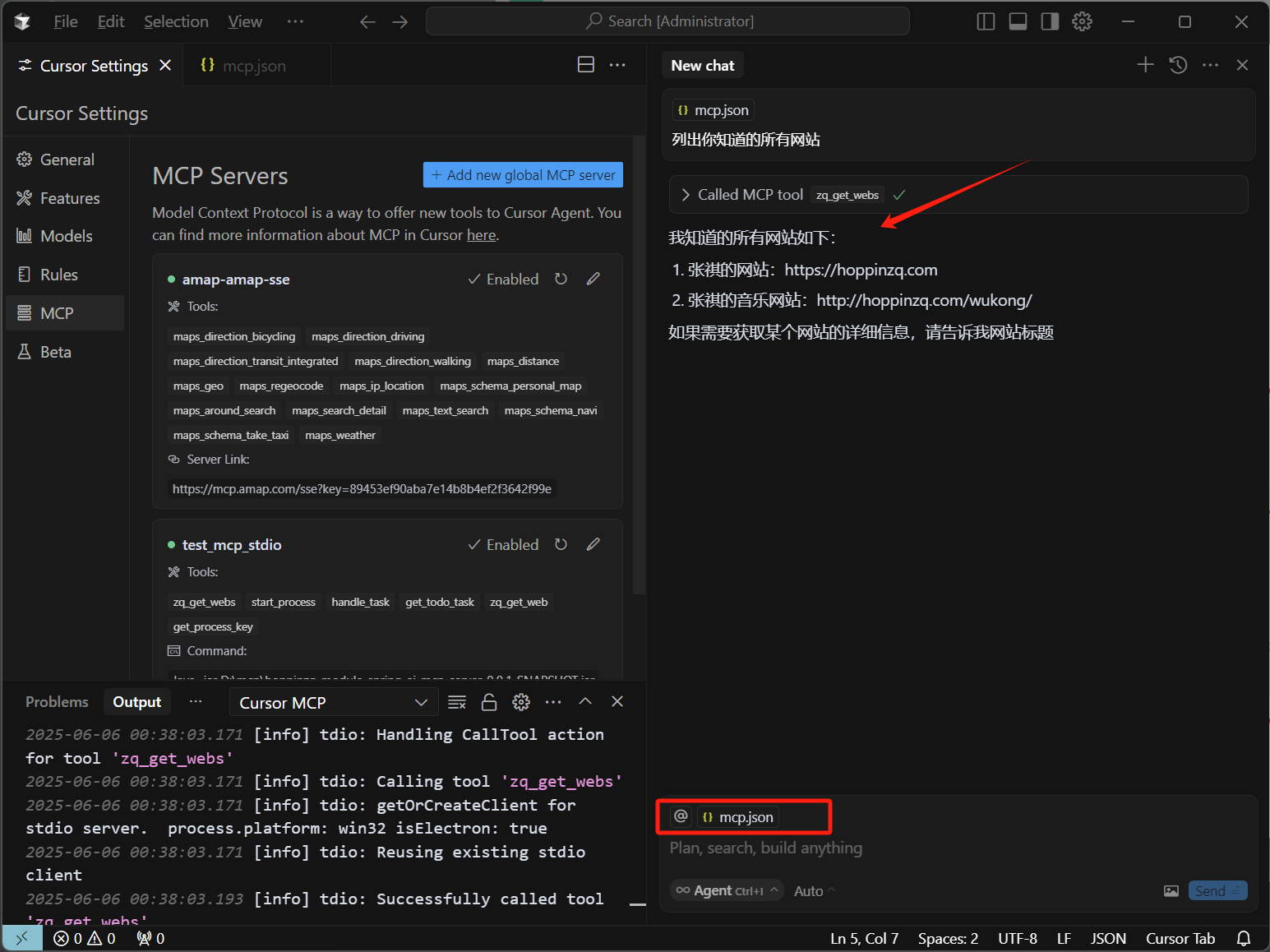
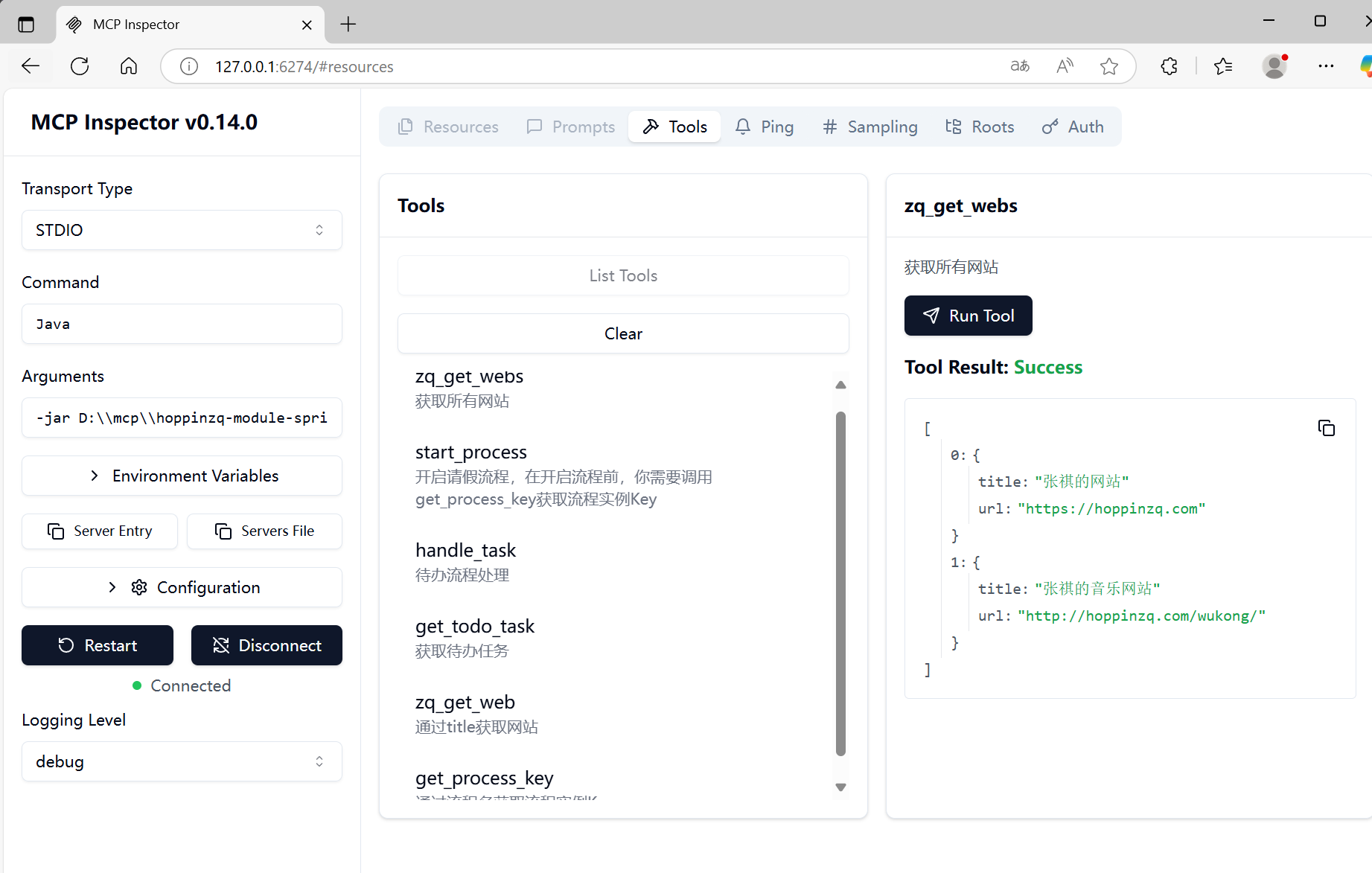
MCP Client即可解析到声明的工具: